

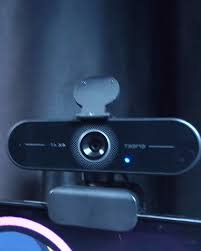
WebcamXP 5 is one of the most well-known video surveillance and webcam streaming software programs available today, offering users a robust platform to monitor, broadcast, and manage multiple camera feeds simultaneously. Whether you are a home user looking to secure your property with IP cameras, a business owner aiming to keep an eye on your workplace, or a content creator interested in live streaming webcam footage, WebcamXP 5 delivers a powerful set of tools. The software is popular for its compatibility with a wide range of devices, its user-friendly interface, and its advanced security features, making it a versatile choice in a world where video surveillance and online broadcasting are growing more essential. Over the years, WebcamXP has gained a reputation for being reliable, customizable, and adaptable to various needs, from simple home monitoring setups to professional video broadcasting environments.
The Evolution of WebcamXP Software
The story of WebcamXP begins with the need for a more accessible solution to video monitoring and broadcasting. Traditional surveillance systems were often expensive, complex, and required professional installation. WebcamXP bridged the gap by offering an easy-to-use software program that worked with standard webcams and later expanded to support IP cameras, USB cameras, and even DVR/NVR setups. With WebcamXP 5, the developers refined earlier versions, introducing more advanced networking options, better video quality, and broader support for camera brands and protocols. This evolution made WebcamXP 5 not only a tool for casual users but also a preferred option for enthusiasts and professionals. Understanding this history helps explain why the software remains popular even as newer competitors enter the market.
Key Features of WebcamXP 5
WebcamXP 5 stands out due to its impressive collection of features designed to suit both personal and commercial needs. Some of its key highlights include:
-
Multi-camera support: The ability to monitor and stream from multiple cameras at the same time.
-
Motion detection: Built-in functionality that alerts users when unusual activity is detected in the frame.
-
Remote access: Securely access your cameras from anywhere in the world through a browser or mobile device.
-
Streaming options: Broadcast live video feeds publicly or privately, with customizable settings.
-
Recording capabilities: Store video clips locally or to a server for future review.
-
User management: Different access levels for administrators, operators, and viewers.
These features are integrated in such a way that both novice and advanced users can take full advantage of them, creating a highly flexible system.
Installation and Setup Process
Installing WebcamXP 5 is straightforward, but it offers enough customization to satisfy users with more complex requirements. Once the software is downloaded, the installation wizard guides users through a quick process of setting up the program. After installation, users can add cameras by simply connecting a webcam or entering the network details for IP cameras. Configuration options allow adjustments such as frame rate, resolution, and audio input. Beginners can leave most settings at their defaults to get started quickly, while advanced users can tweak network ports, encryption protocols, and user permissions for enhanced control. The intuitive interface ensures that users can go from installation to live monitoring in a short amount of time.
User Interface and Navigation
One of the biggest strengths of WebcamXP 5 is its clean and well-organized interface. The main dashboard provides a clear overview of all connected cameras, with options for viewing them in single or multi-camera layouts. Navigation is made simple through well-labeled menus that provide access to settings, recording features, and streaming controls. Users do not need to be technically inclined to understand the layout, as the program balances simplicity with advanced functionality. The interface is also customizable, allowing users to adjust layouts, choose themes, and prioritize the information displayed on the main screen.
Motion Detection and Alerts
For security-focused users, the motion detection system in WebcamXP 5 is one of its most valuable features. The software allows users to set sensitivity levels, define detection zones, and configure alerts for when motion is detected. Alerts can be delivered via email, sound notifications, or direct messages through connected devices. This functionality turns any webcam or IP camera into an intelligent surveillance system that actively notifies users of potential threats. For businesses, this reduces the need for constant manual monitoring, and for homeowners, it provides peace of mind when away from the property.
Remote Access and Mobile Support
In today’s connected world, the ability to access surveillance systems remotely is a necessity. WebcamXP 5 supports remote viewing through browsers and mobile devices, giving users the freedom to monitor their property or broadcast streams on the go. Remote access is secured with authentication protocols, ensuring that only authorized users can view or control the cameras. The software also integrates with mobile apps and cloud services, making it even more convenient for users who need to stay updated in real-time. Whether checking a live stream from another city or simply monitoring a child’s room from another part of the house, remote access makes WebcamXP 5 highly practical.
Streaming and Broadcasting Options
WebcamXP 5 goes beyond simple surveillance by offering comprehensive streaming options. Users can broadcast their camera feeds to private audiences, share them on websites, or integrate them into social media platforms. The software supports different streaming formats and protocols, ensuring compatibility across devices and platforms. For professional users, this feature allows live events, lectures, or demonstrations to be shared with audiences around the globe. For casual users, it provides a way to stay connected with friends and family through live video sharing.
Security and Privacy Measures
With growing concerns over cybersecurity, WebcamXP 5 includes robust privacy and security features. Password protection, user access levels, and encryption protocols are all designed to keep camera feeds secure. The software also offers logging options to track access and activity, which can be critical in business environments. For users broadcasting online, WebcamXP 5 provides controls over who can access the streams and what level of interaction they are permitted. These measures ensure that users can feel confident about the safety of their surveillance and broadcasting activities.
Use Cases of WebcamXP 5
WebcamXP 5 has diverse applications across different sectors. For homeowners, it serves as an affordable home security solution. Businesses use it to monitor offices, warehouses, or retail outlets. Educational institutions employ it to broadcast lectures or monitor facilities. Content creators find value in its streaming capabilities, using it to share live events, tutorials, or personal content. Even hobbyists take advantage of WebcamXP 5 for projects like monitoring wildlife cameras or setting up live streams for community events. The versatility of the software makes it suitable for almost any situation where video monitoring or streaming is required.
Comparison with Alternative Software
While there are many video surveillance and streaming programs available, WebcamXP 5 continues to stand out due to its combination of user-friendly design, robust features, and affordability. Competitors often require additional hardware, charge higher subscription fees, or lack the same level of customization. WebcamXP 5 strikes a balance by offering professional-level tools without unnecessary complexity. By comparing it with other popular solutions, users can see that WebcamXP 5 offers an excellent cost-to-benefit ratio, making it an attractive choice for both beginners and professionals.
Tips for Getting the Most Out of WebcamXP 5
To maximize the benefits of WebcamXP 5, users should explore advanced settings such as defining custom detection zones, integrating with external storage solutions, and setting up regular maintenance schedules for their cameras. Networking knowledge can also enhance the experience, particularly when configuring remote access. Users should regularly update the software to benefit from the latest security patches and feature improvements. Taking time to learn about these advanced tools will ensure that WebcamXP 5 delivers long-term value.
Frequently Asked Questions (FAQ)
Q1: Is WebcamXP 5 free to use?
WebcamXP 5 offers a free version with limited features, while the full version requires a paid license to unlock all functionalities such as multi-camera support and advanced security settings.
Q2: Can I use WebcamXP 5 with any webcam or IP camera?
Yes, WebcamXP 5 is compatible with a wide range of webcams, IP cameras, and even DVR/NVR systems. However, checking the supported device list before purchasing is recommended for specific models.
Q3: How secure is WebcamXP 5 for remote access?
The software uses authentication protocols, user permissions, and encryption to ensure that remote access remains secure. Users are encouraged to set strong passwords and update them regularly.
Q4: Does WebcamXP 5 support audio recording as well as video?
Yes, WebcamXP 5 supports audio input when connected to compatible devices, making it suitable for applications that require both sound and video monitoring.
Q5: Can I broadcast my webcam feed online with WebcamXP 5?
Absolutely. WebcamXP 5 includes broadcasting tools that allow users to share their live streams publicly or privately, with customizable controls over access and visibility.
Conclusion
WebcamXP 5 is a powerful, versatile, and user-friendly software solution for video surveillance and streaming. Its combination of features—including multi-camera support, motion detection, remote access, and broadcasting options—makes it suitable for both casual users and professionals. Whether you are looking to secure your home, monitor your business, or share live content online, WebcamXP 5 offers the flexibility and reliability needed to get the job done. With its strong emphasis on security, ease of use, and adaptability, it remains one of the top choices in the market for anyone seeking a complete webcam and surveillance software solution.


